Overview
In Randio Open Dashboard
Randio gives each customer their own discount catalog: a small set of products from your store, each at its own percentage off. Nobody gets a code. The customer opens their catalog, adds a product to the cart, and the Randio price is applied in the cart and at checkout.
The four building blocks
| Block | What it decides | Where |
|---|---|---|
| Strategy | Which products can be offered, how deep the discounts go, how many products a catalog holds | Strategies |
| Template | How the offer looks: the catalog page, the email and the storefront block, designed together | Templates |
| Customer group | Who an Outreach campaign emails | Customers |
| Campaign | Which strategy, template and (for Outreach) group run together, and when | Campaigns |
Strategies, templates and groups are reusable. A campaign combines one of each with a schedule.
Two campaign types
- Outreach emails a customer group. Each person gets a personal catalog and a link to it.
- Storefront shows deals to visitors on your store, through the storefront block and the catalog page. Logged In mode builds a personal catalog for a signed-in customer; Guest mode serves visitors who are not signed in from a shared pool of catalogs.
A campaign runs as a series of runs. Each run has a start and an end, and a catalog lives only as long as its run.
Where to start
Setup is four short steps (Terms, Plan, Brand and Sync) and then a checklist on your dashboard that wires Randio into your theme. Getting started walks through each one.
The dashboard
Once set up, the dashboard opens with a status strip: data synced, catalog source, campaign health, theme files, catalog pages, checkout discount, app embed and deals block, summed up as "Everything's running" or the number of things that need attention, with Recheck. Below it, two cards for the last 30 days: orders via Randio and revenue earned via Randio, with a link to Analytics; a carousel of active and upcoming campaigns; your to-do list; and how to contact us.
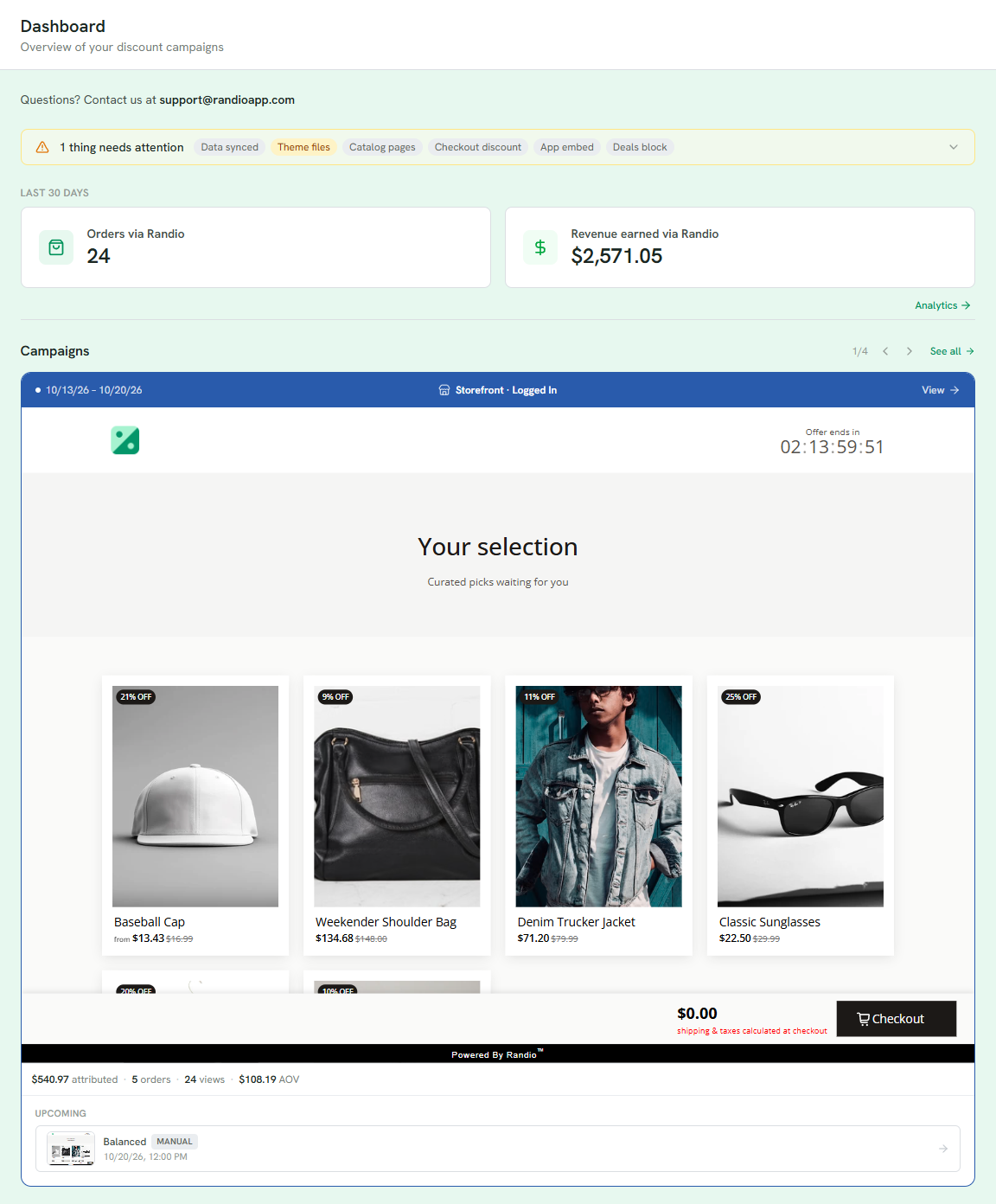
1 The status strip: every piece Randio depends on, summed up as everything running or what needs attention.
2 The last 30 days: orders and revenue via Randio, with a link to Analytics.
3 Live and upcoming runs, one card at a time, each with its window and a link to its campaign.