Orders, analytics and products
In Randio Open Orders Open Analytics Open Analytics → Products Open Analytics → Customers Open Products
Three pages read the same orders from three angles. All of them count paid orders only, and all of them show revenue before refunds: a refund is bookkeeping, it does not take an order back out of the numbers.
Orders
The Orders page has two tabs, Overview and Orders List, and a switch between Randio orders and all orders. The list shows orders synced from Shopify, with an unpaid order badged and counted once it is paid. Filters narrow it to a campaign by its group, then a run and a variant, and to a time range including the current billing cycle; the Products page links here filtered by one product, and there is a search. Each row shows the order, the campaign, the date, the customer, the total, the attributed amount, the items and the status. Open a row for the order detail.
Every order is a snapshot as placed. Refunds and later edits in Shopify are not reflected.
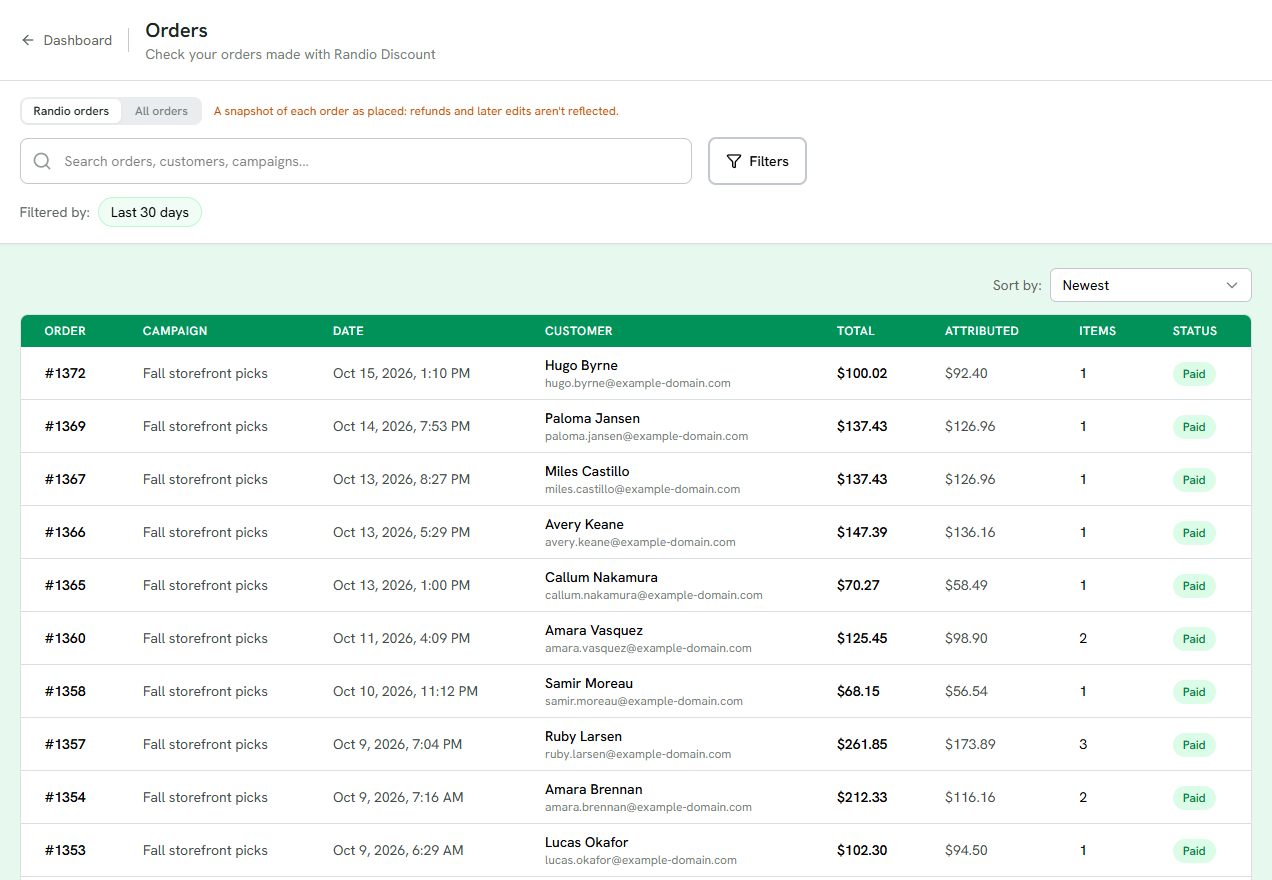
1 Randio orders, or every order in your store.
2 Search, or Filters for a campaign, a run and a time range.
3 Each order: campaign, date, customer, total, the attributed amount, items and status.
4 Paid, or Refunded. A refund does not take the order out of the numbers.
An order can be marked "Randio discount · unattributed": a discount applied but the order could not be linked to a run. It is listed, but it is not counted in analytics.
Analytics
Analytics summarises the same orders over a time range, with a scope switch between Randio attributed items and the whole of Randio-included orders, and the same Filters for a campaign and run. Three tabs:
- Orders: revenue, order count, average order value, the funnel from targeted through email opened, email clicked, catalog views, added to cart and checkout to ordered, with a switch between Storefront and Outreach, and discount dependency, which plots order volume by the discount applied. A curve leaning toward deeper discounts means the store relies on them. Click up to two metrics to compare them on the chart.
- Products: top products with thumbnails, best-selling options and tags across products, and discount depth by product.
- Customers: top customers, new versus returning, repeat behaviour, and results by customer group.
Catalog views count one device loading the catalog page per day. Views of the storefront block are not counted.
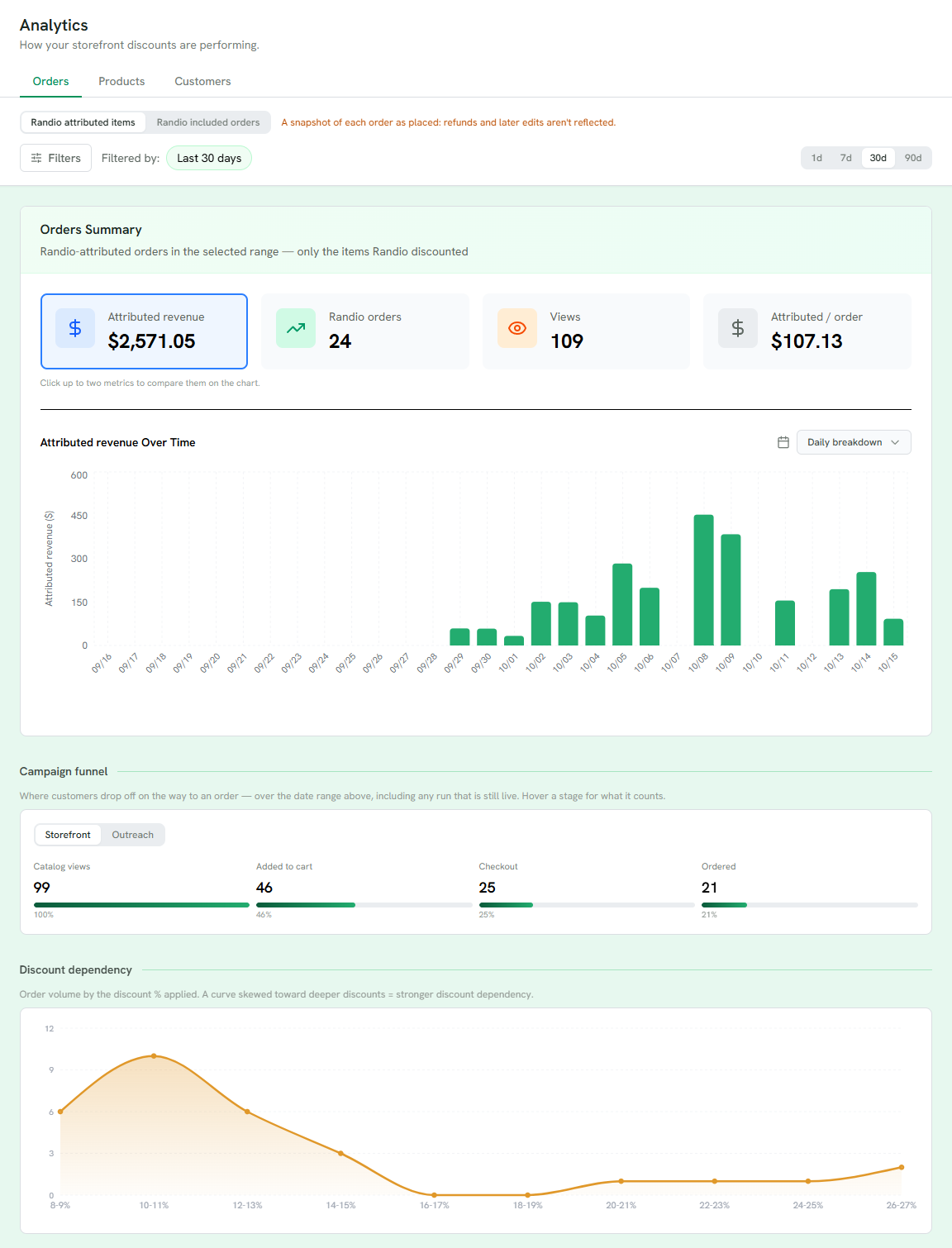
1 Randio attributed items, or the whole of Randio-included orders.
2 Revenue, orders, views and revenue per order. Click up to two to compare them on the chart.
3 The chart over the range, by day or by week.
4 The funnel from catalog views to ordered, for Storefront or Outreach.
5 Discount dependency: order volume by the discount applied.
Products
The Products page turns the orders around: for each product, what it sold through Randio, which variants, options and tags sold best, and the discount depth it sells best at. The Collections tab lists your collections and their products. A product deleted in Shopify is kept as it was last synced so its sales stay visible.
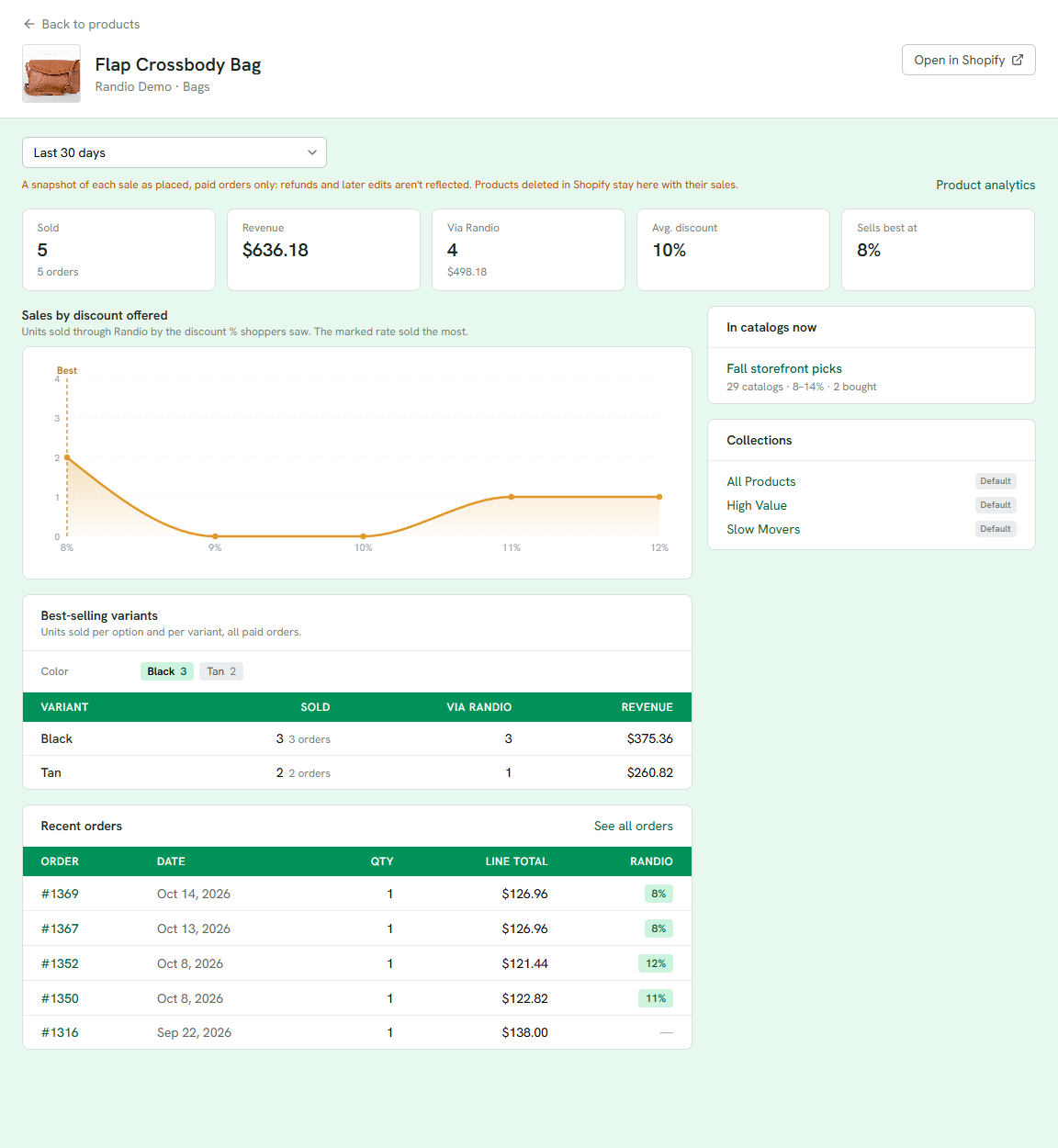
1 Sold, revenue, units through Randio, the average discount and the depth it sells best at.
2 Units sold through Randio at each percentage shoppers saw. The marked rate sold the most.
3 Which variants sold, and how many through Randio.
4 The live campaigns it is in now, with their catalogs and range.
5 Its collections.
"Data available from … to today" on the Orders and Analytics filters marks when Randio started recording for your store; earlier orders are not shown.
Related: Order detail, the article Reading your campaign results.