Sync and theme setup
In Randio Open Settings → Sync Open Settings → Sync → Deals block
Settings → Sync is the status page for everything Randio needs from Shopify: your data, your theme, and the checkout discount. Its sections are Data sync, Theme files, Checkout discount, App embed and Deals block, each with its own status.
Data sync
Randio keeps a copy of your product catalog and variants, collections, customer information and order history. Shopify's updates keep it current within minutes as things change, and a full resync runs once a week. The page shows each data set with its last activity. Sync Now pulls products, collections, customers and orders again on demand, for example after a large product import, re-checks the checkout discount at the same time, and can run once every ten minutes.
Customer groups and catalog eligibility read this copy, so a change in Shopify shows up in Randio once the update has arrived, not the instant you make it.
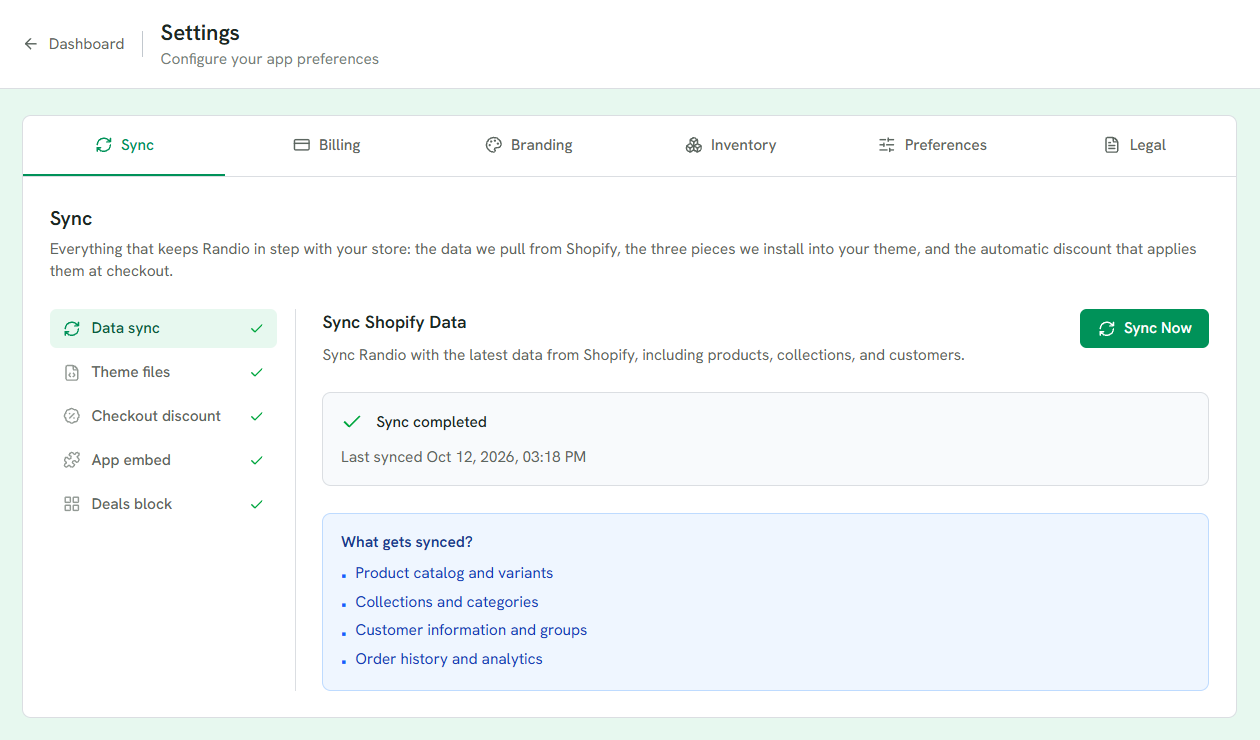
1 One section per piece Randio needs, each with its own check.
2 Sync Now, and when the last sync finished.
3 What the sync copies.
Theme setup
Three things in your theme, each with its own section:
- Deals block: the storefront block that shows offers. Add to Theme opens the theme editor; the panel shows where the block was detected, with Re-check. See Storefront block.
- App embed: the cart app embed that makes discounts apply. Enable Randio Cart Integration in the theme editor's App embeds panel (the puzzle-piece icon), save, then Re-check. The panel reads the answer out of your theme's own files through Shopify's API, the only place that knows, so a password-protected storefront does not stop it. It shows Enabled, Disabled, or Not verified when those files cannot answer: Shopify keeps one app-embed entry per version of Randio your theme has seen, and marks only the one you switched off, so a real toggle-off and a newer version's fresh entry can look identical. Not verified is not off: nothing is switched off because Randio could not tell. Randio also keeps the last answer so this page can show a status before Shopify replies, which means a fresh read can correct it a second later. When that happens the panel says so, instead of leaving you with two different answers.
- Theme files: the small set of files the catalog page uses, for both page layouts. Randio adds only these files and never edits your theme's own files, and nothing is added until you press Sync theme files. The panel reports whether the files are synced, need a sync, have an update available, or were changed outside Randio; Sync installs an update, replaces outside edits and restores a missing catalog page. You can remove the files from the same place. See Catalog page layouts.
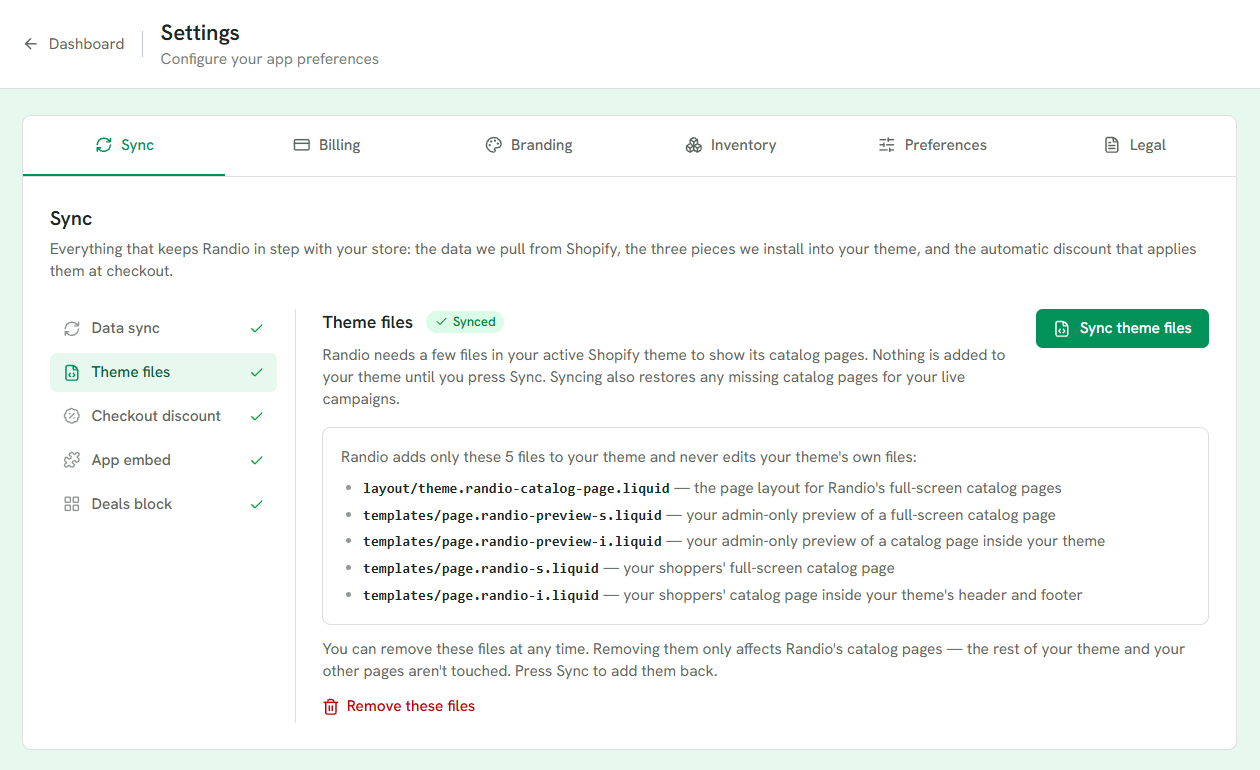
1 Sync theme files installs the catalog page files; nothing is added until you press it.
2 Only these files are added. Your theme's own files are never edited.
3 Remove them any time. Sync adds them back.
Checkout discount
The automatic app discount that prices every Randio line at checkout. It is matched by app ownership, not by name, so renaming it in Shopify is safe; the panel shows the name shoppers see, which comes from the Discount Label in Settings → Branding. If it shows "Not registered", discounts will not apply at checkout until you click Register now, even on a live campaign. Deactivating it in Shopify admin has the same effect; registering again reactivates it.
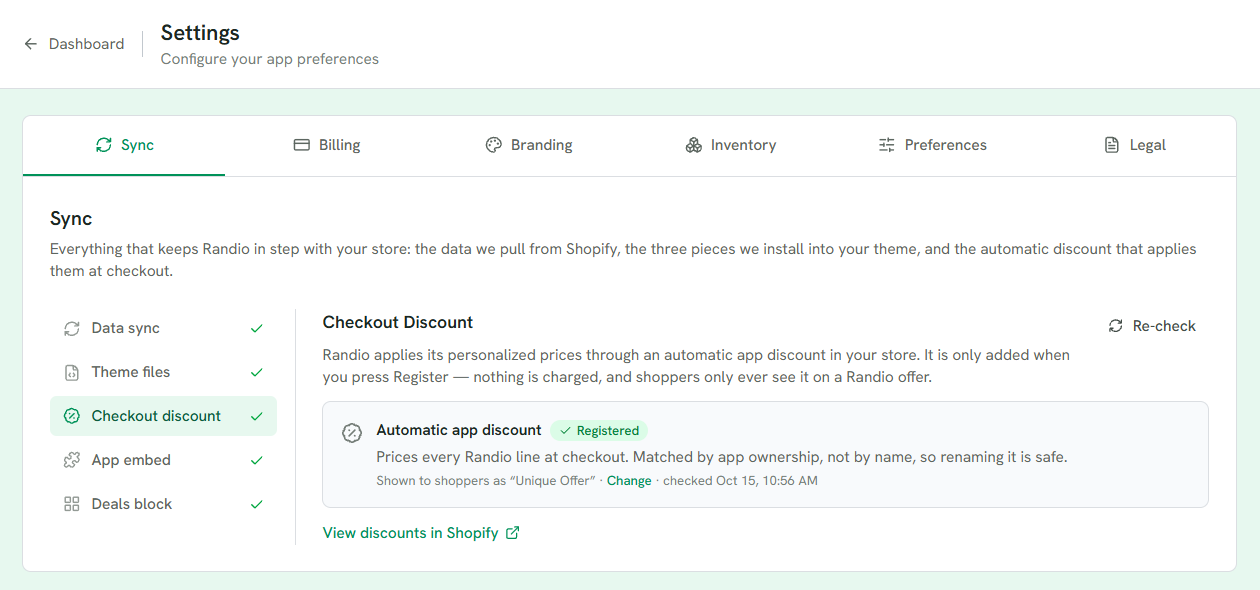
1 Registered or not, and when it was last checked.
2 The name shoppers see, from the Discount Label in Branding.
3 View discounts in Shopify opens the discount there.
Related: Cart and checkout.