What is a customer group
In Randio Open Customers → Groups
A customer group is a saved segment of your customers. An Outreach campaign emails one group; the group decides who gets a catalog. Storefront campaigns do not use groups, they serve whoever visits.
Groups are rules
Every group is a set of rules that Randio keeps up to date from your synced customer and order data; see How group rules work. One group is built in: Everyone Else, the catch-all pinned last, which holds every customer no other group claims. It cannot be edited or deleted.
Each row on the Customer Groups page shows In group and Can be emailed; while the group's campaign has a live run, Can be emailed gives way to Currently Active, the people holding a catalog from that run. Each row also shows Randio revenue and Avg Randio order: what the people in the group have bought through Randio offers. Filter the Contacts list to the group and its Revenue column adds up to the same figure. "Can be emailed" means the customer has email marketing consent, a deliverable address, and is not claimed by a higher group. Only those receive a catalog.
Groups worth starting with, built from the rule fields:
- Your best customers: order count and lifetime revenue at least a level you choose. Often the group for early access.
- Engaged subscribers: email marketing subscribed and at least one email opened or clicked.
- Quiet customers: days since last order above a number you choose, for a win-back.
- New customers: days since first order below a number you choose, for a second purchase.
Put the most specific group highest, since a customer belongs only to the highest group that matches.
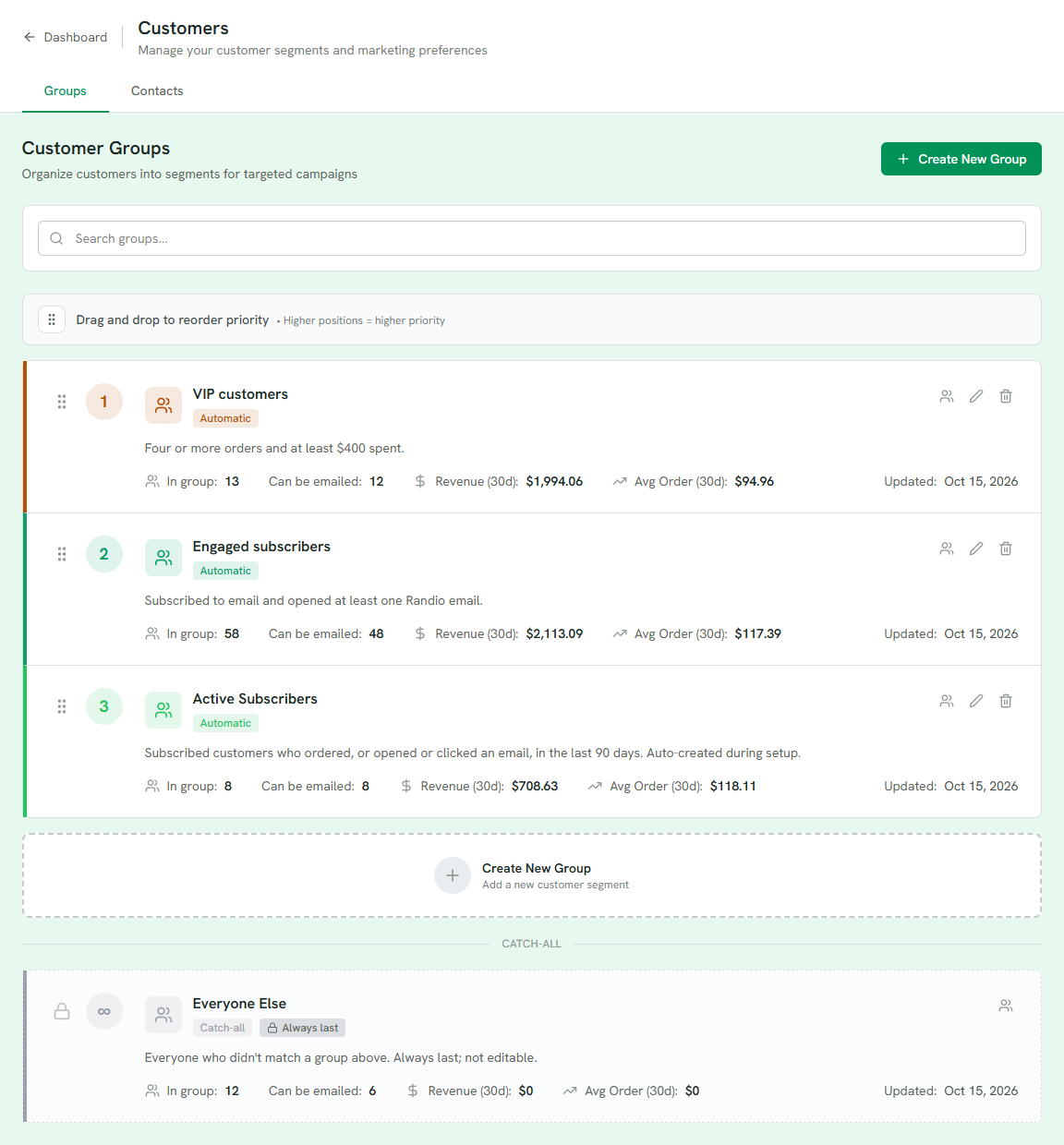
1 A group: its rule in a sentence, its type, and its reach and revenue.
2 Drag to reorder; higher is higher priority.
3 Can be emailed: who the group could reach now.
4 Everyone Else, the catch-all, always last.
5 Create New Group.
Priority
Groups are ordered. Drag them to reorder; higher positions have higher priority. A customer who matches several groups belongs to the highest one only, so a lower group never emails someone a higher group already covers. The editor tells you when this happens: "N more match but belong to a higher group."
Reordering takes effect for new runs. Customers already claimed by a running campaign stay put until that run ends.
One campaign per group
A group can back one active Outreach campaign at a time. When you pick an audience for a new campaign, groups that are already running one are shown but cannot be chosen until that campaign ends.
Deleting a group
Deleting removes the segment only. Customers and their orders are not affected. A group whose campaign has a run live cannot be deleted until that run ends or the campaign is removed. A group with runs still upcoming can be deleted; the delete cancels those runs, and the people in the group become claimable by your lower-priority groups.
Related: Campaigns overview, the article Segment before you randomize.