Putting it all together
In Randio Open Campaigns Open Campaigns → New campaign
A campaign joins the pieces: a strategy (what to offer), a template (how it looks), an audience, and a schedule. Randio then builds a catalog per customer and serves it for the length of a run.
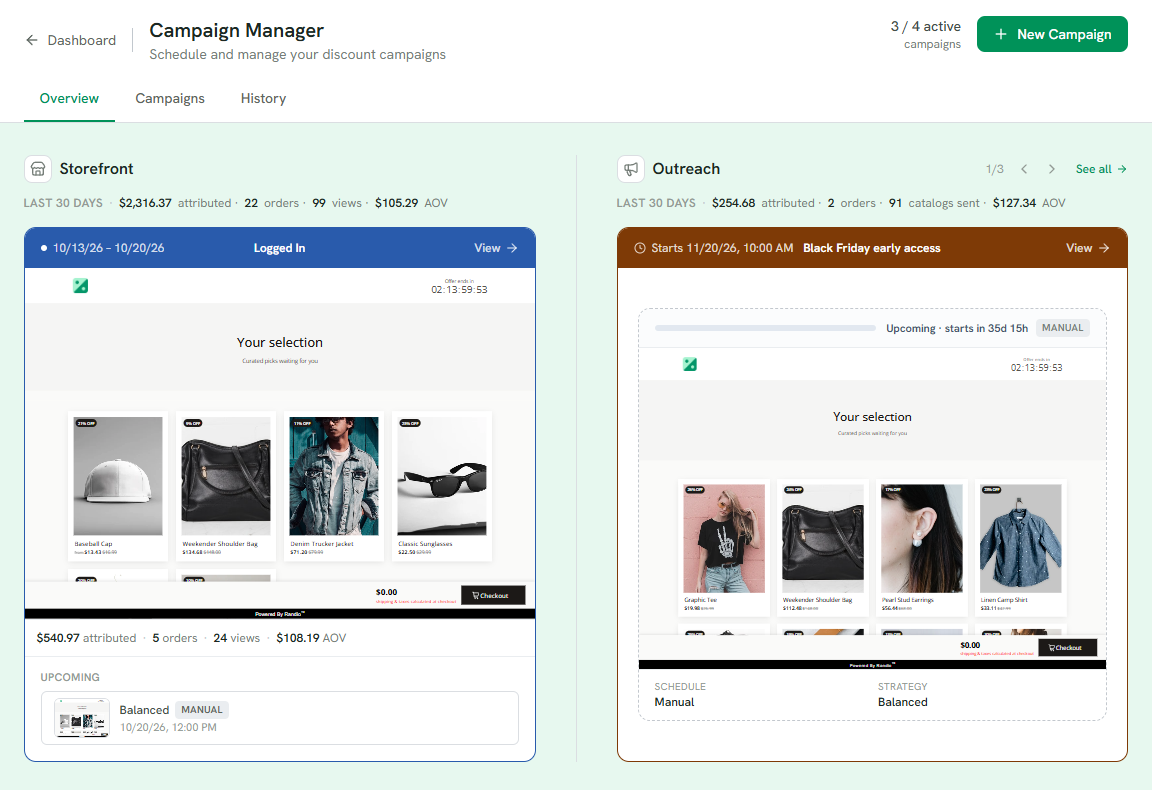
1 Storefront on the left, Outreach on the right, each with its last 30 days.
2 The live run: its template, its window and its numbers.
3 Up next: the run queued after it.
4 Outreach: the next run of each campaign; the arrows page through them.
5 New Campaign starts with "Who is it for?".
Two campaign types
- Outreach emails a customer group. Each reachable member gets a personal catalog and an email, with an optional reminder before the run ends. How many a run reaches is bounded by your store's sending capacity; the schedule card shows the number.
- Storefront shows offers on your store to visitors. Logged In mode gives each signed-in customer a personal catalog; Guest mode serves a shared pool to visitors who are not signed in. See Guest visitors.
Which one for what:
- Outreach when you want to reach people who are not on your store right now: a monthly set of picks for subscribers, an early look before a sale, a win-back for customers who have gone quiet.
- Storefront, Logged In to reward customers who sign in, with picks of their own while they shop.
- Storefront, Guest for visitors you do not know yet: a shared pool of offers on the store, with no email involved.
The New campaign page asks "Who is it for?" first, then "How should it run?":
- Runs automatically on a schedule you set. The automatic settings card holds a standing rule: strategy and template rows plus a rotation. Randio keeps creating runs from it.
- A single run for a specific window you choose. A manual run with its own start and end.
Both feed one Upcoming queue on the campaign page. Manual runs take their window; the automatic rotation fills in around them. See Scheduling and duration.
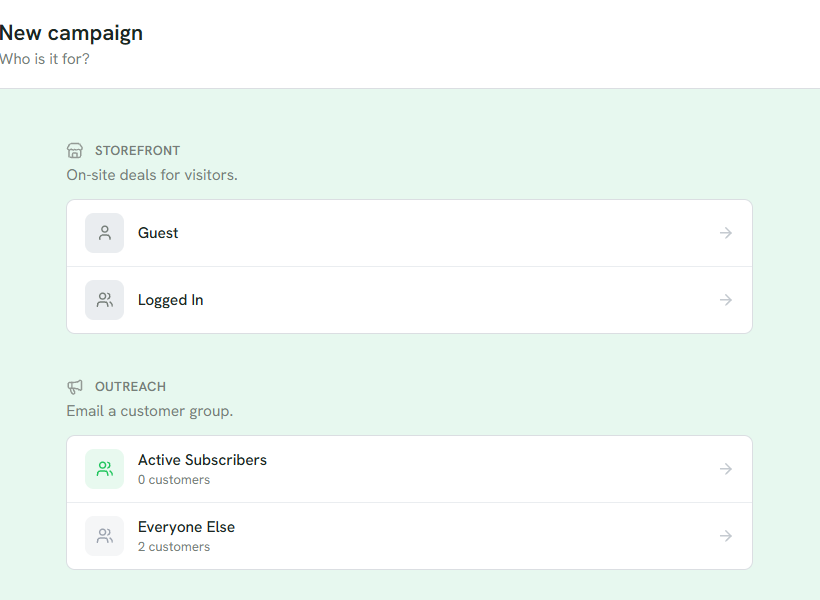
1 Storefront: Guest for visitors who are not signed in, Logged In for customers signed in to their account.
2 Outreach: pick the customer group to email. The count is the group's size, not the number that will be reached.
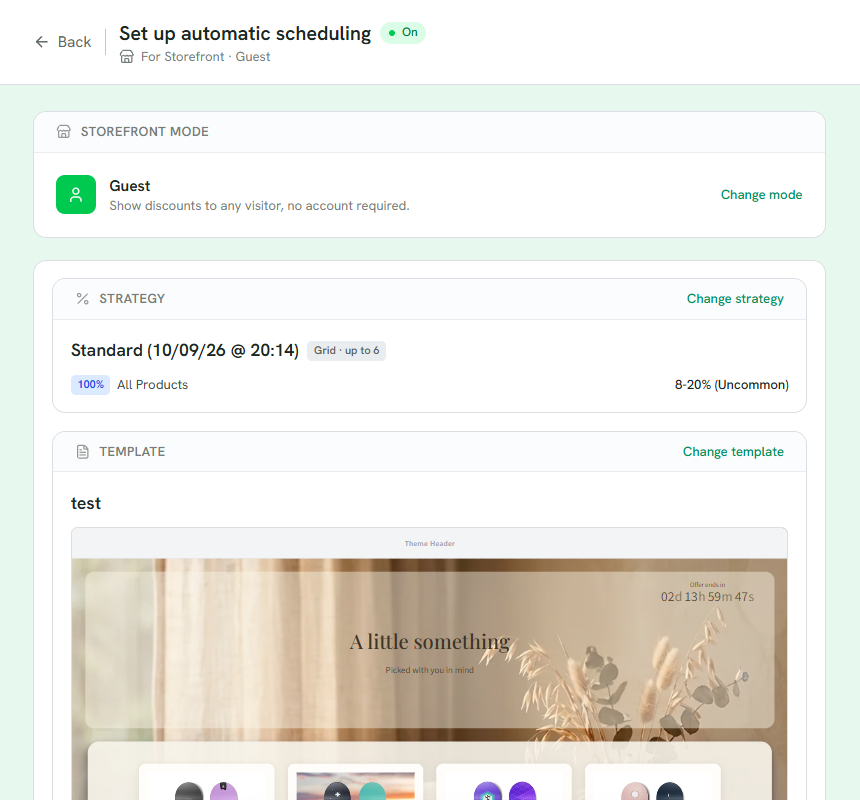
1 The storefront mode, Guest or Logged In; Change mode switches it.
2 The strategy the rule's runs draw from, with its distributions and range.
3 The template, previewed with sample products. The rotation and timing follow below.
Runs
A run is one live window with its own catalogs. Its page shows who it reached, what it served, and the orders it produced. Catalogs are built when a customer is reached: an Outreach catalog as its email goes out, a Logged In catalog as the customer arrives, and the Guest pool shortly before the run starts. When a run ends its catalogs stop discounting and its record stays in History.
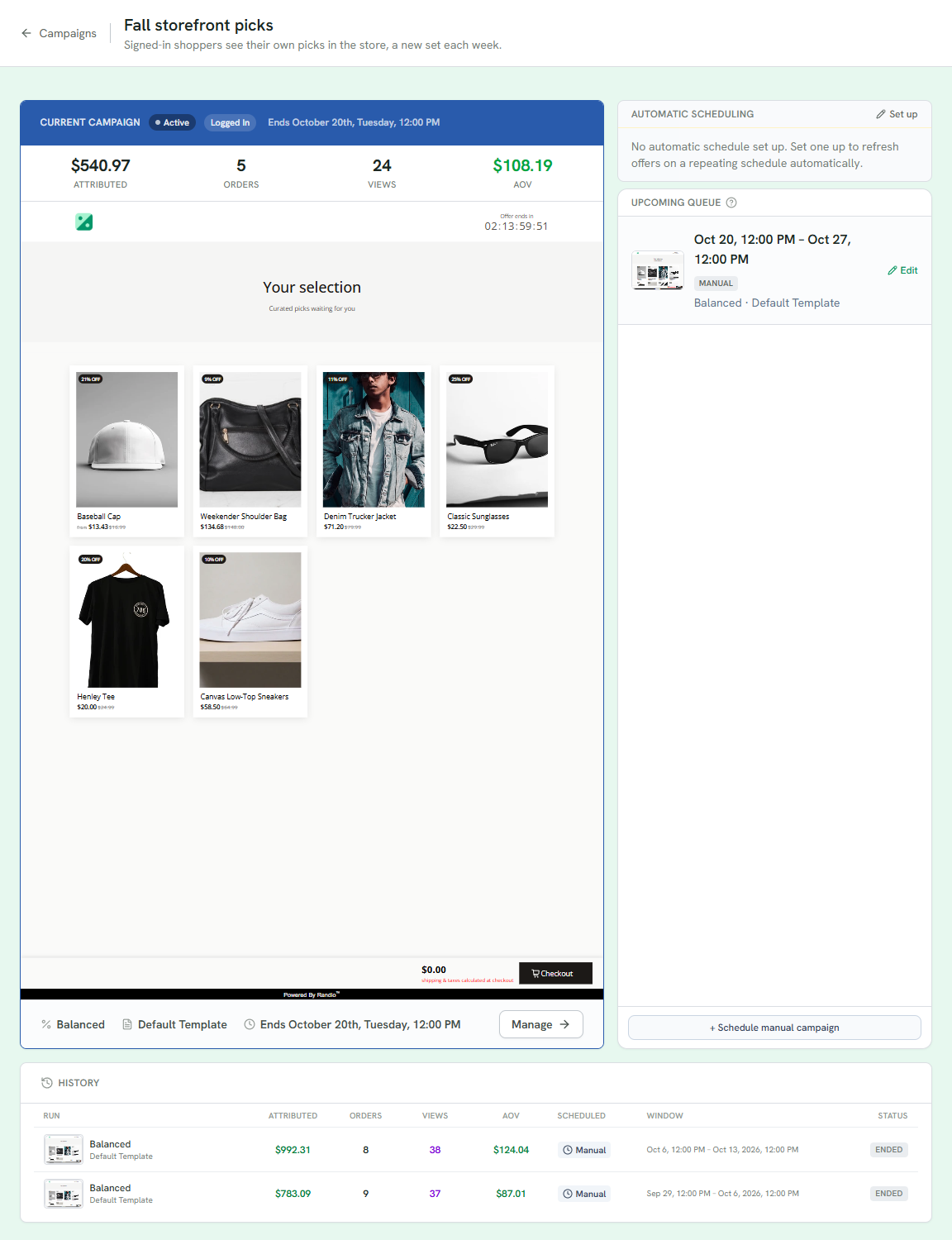
1 The live run, previewed as shoppers see it, with its numbers so far.
2 Its strategy, its template and when it ends; Manage opens the run.
3 The upcoming queue: manual runs and the rotation in one list, with Schedule manual campaign below.
4 History keeps every ended run and what it produced.
What has to be ready
Randio will not start a run that cannot work:
- The strategy needs active products. If every catalog would be empty, the run cannot launch. Add products in Shopify or set existing ones to Active.
- An Outreach run needs someone it can email. A group with nobody reachable is skipped and recorded in History as skipped, with the reason.
- The app embed must be on and the checkout discount registered, or shoppers see full prices at checkout. Settings → Sync shows both. See Cart and checkout.
Status words
The campaign list shows three states. Active has a run live. Upcoming has a run scheduled and none live. Inactive has neither.
The campaign page shows the live run's phase:
- Preparing…: the run is being set up, about half an hour before its start.
- Ready, with a countdown: everything is in place and the run starts on the minute.
- Sending soon, then Active (Sending n of m): Outreach emails are leaving; n have gone out of the m the run expects to send.
- Nothing to send: nobody in the group could be emailed.
- Active: the run is live and serving.
- No instance scheduled: the campaign has no run queued.
In History, Ended early marks a run that was ended by hand or by the next run starting.
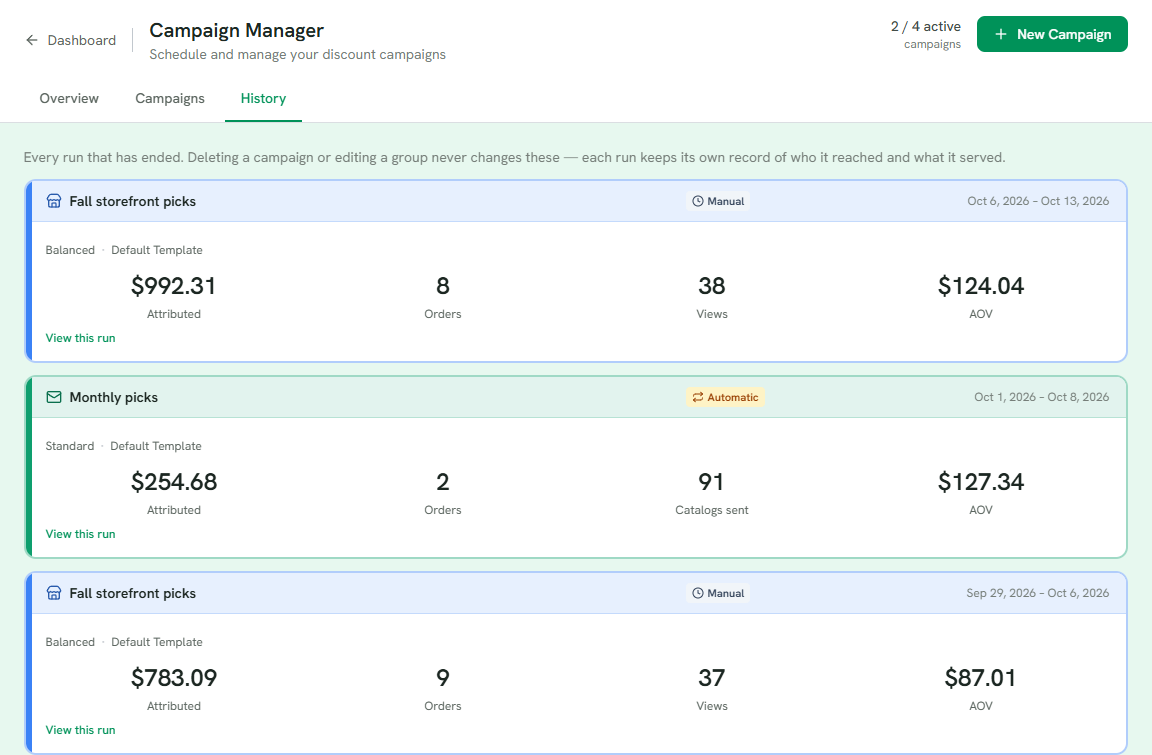
1 One card per ended run: its strategy, template, window and results.
2 How it was scheduled: Manual, or Automatic when a rule started it.
3 View this run opens the run's own page.
Related: Campaign lifecycle, Setting up your first campaign.